Steam Deck 호환성 가이드

Gothic 1 Remake Steam Deck: 호환성, 설정, 조작과 구매 판단

Steam Deck에서 Gothic 1 Remake를 플레이하려는 사용자를 위해 Steam 페이지, 공식 PC 요구 사양, 낮은 설정, Proton 및 커뮤니티 보고 확인 방법을 정리했습니다.

  • Primary intentSteam Deck playability
  • Best sourceSteam + current reports
  • Risk areaPerformance and controls
  • Related pagePC requirements

짧은 답: 현재 상태를 확인하세요

Gothic 1 Remake는 현대적인 PC RPG이며 공식 Steam 요구 사양은 원작 Gothic보다 훨씬 높습니다. 그렇다고 Steam Deck 플레이가 불가능하다는 뜻은 아니지만, 휴대용 플레이를 목적으로 구매한다면 Steam Deck 호환성 표시, 최신 Proton 보고, 최근 리뷰, 패치 노트를 먼저 확인해야 합니다.

안전한 구매 기준은 단순합니다. Steam 페이지에 명확한 Deck 상태가 있고 최근 플레이어들이 현실적인 설정에서 안정적이라고 말한다면 Deck도 좋은 선택이 될 수 있습니다. 아직 미검증이거나 지원되지 않거나 최신 성능 불만이 많다면 데스크톱 PC 대안이 있을 때만 구매하는 편이 낫습니다.

이 글은 벤치마크 영상이나 Proton 보고를 대체하지 않습니다. 무엇을 확인할지, 어떤 설정부터 낮출지, 조작에서 어떤 문제가 생길 수 있는지, 언제 PC 및 플랫폼 가이드를 함께 봐야 하는지 정리합니다.

Before buying

구매 전 체크리스트

Use these checks before treating Gothic 1 Remake as a handheld-first purchase.
Check Why it matters What to do
Steam Deck 표시 Valve 호환성 표시는 게임 패치와 Proton 업데이트 후 바뀔 수 있습니다. Steam 페이지에서 Verified, Playable, Unsupported, 미검증 중 무엇인지 확인하세요.
최근 사용자 보고 출시 초기 성능과 패치 후 성능은 다를 수 있습니다. Steam Deck, Proton, 끊김, 충돌, 작은 글자, 컨트롤러 표시 관련 최신 리뷰와 토론을 읽으세요.
PC 요구 사양과의 차이 공식 요구 사양은 최신 CPU, 16-32GB RAM, 강한 GPU, DirectX 12, SSD/NVMe를 언급합니다. 낮은 설정을 기준으로 시작하고 데스크톱급 그래픽이나 높은 FPS를 기대하지 마세요.
조작 편의성 Gothic 스타일 RPG는 정확한 이동, 전투 타이밍, 인벤토리, 메뉴 가독성이 중요합니다. 버튼 표시, 단축키, 트랙패드, 후면 버튼 매핑을 확인하세요.
환불 테스트 계획 휴대용 성능은 패치, 설정, 환경에 따라 달라집니다. Deck이 유일한 플랫폼이라면 Steam 환불 가능 시간 안에 초반 구간을 테스트하세요.

Performance setup

먼저 테스트할 설정

Start conservative, then raise quality only after the opening areas feel stable.
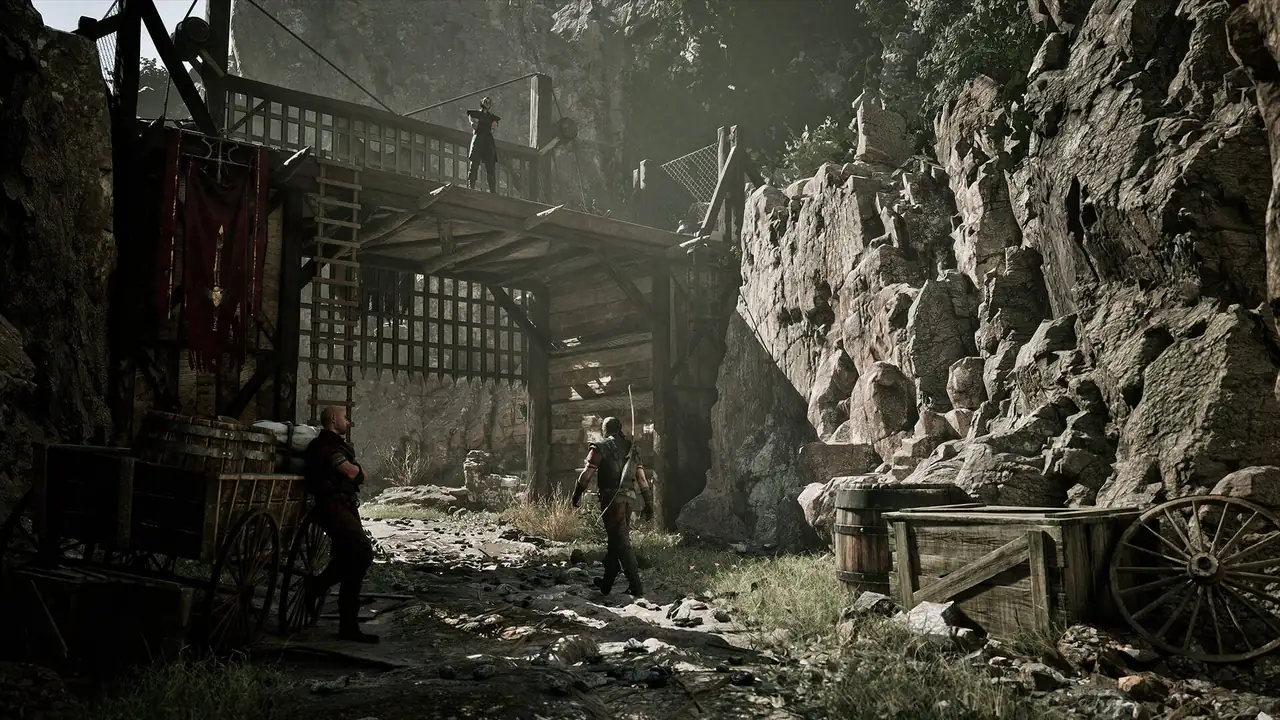
Official Gothic 1 Remake colony screenshot used beside Steam Deck settings advice
Official Gothic 1 Remake media. On Steam Deck, prioritize readability and stable frame pacing before visual extras.

낮음 또는 중간 프리셋부터 시작

가장 안전한 프리셋으로 시작한 뒤 텍스처나 효과를 하나씩 올리세요. 불안정한 프레임 페이싱은 낮은 그래픽보다 더 거슬립니다.

화질보다 FPS 제한 먼저 설정

30 FPS 제한이 이동이나 전투 중 흔들리는 무제한 설정보다 더 안정적으로 느껴질 수 있습니다.

VRAM과 텍스처 확인

공식 요구 사양은 데스크톱 GPU의 충분한 VRAM을 전제로 합니다. Deck에서는 높은 텍스처가 스트리밍에 부담을 줄 수 있습니다.

글자가 읽힐 때만 FSR 사용

업스케일링은 도움이 되지만 인벤토리, 퀘스트 문장, 자막은 읽을 수 있어야 합니다.

빠른 저장장치 권장

Steam 요구 사항은 SSD 이상을 강조합니다. microSD에서는 이동과 로딩 중 끊김을 확인하세요.

패치 후 다시 테스트

게임, Proton, SteamOS 업데이트 후 최적 설정이 바뀔 수 있습니다. 잘 맞는 설정을 짧게 기록하세요.

조작, UI, 휴대 플레이 편의

Steam Deck 문제는 성능만이 아닙니다. Gothic 1 Remake에는 탐험, 전투, 인벤토리, 대화, 지도 확인이 모두 포함됩니다. 실행이 되더라도 7인치 화면에서 메뉴가 읽히는지, 입력 표시가 명확한지, 전투 조작이 안정적인지가 중요합니다.

컨트롤러 프리셋이 있다면 먼저 사용하세요. 불편한 메뉴가 있다면 Steam Input으로 인벤토리, 지도, 퀵슬롯, 카메라를 후면 버튼이나 트랙패드에 배치하세요.

  • 가능하면 UI 배율을 올리세요.
  • 자주 쓰는 행동을 후면 버튼에 배치하세요.
  • 메뉴와 인벤토리에 오른쪽 트랙패드를 시험하세요.
  • Deck과 PC 사이의 클라우드 세이브를 확인하세요.
  • 발열, 배터리, FPS 경향을 알기 전에는 긴 세션을 피하세요.
Official Gothic 1 Remake character screenshot used for Steam Deck compatibility guidance
Official Gothic 1 Remake media, used as an editorial visual for Steam Deck and PC playability context.

Visual checks

스크린샷만으로 부족한 점검

Frame pacing

A screenshot can look fine while traversal stutters. Test a settlement, a road, and a combat scene before trusting the setup.

Readable UI

Inventory text, quest wording, store labels, and subtitles matter more than a sharp hero scene. Reduce scaling only if text stays clear.

Control rhythm

Combat timing and camera control need to feel predictable. If the default layout feels slow, adjust Steam Input before refund-window testing ends.

FAQ

FAQ

Check the live Steam store page and Steam Deck compatibility label. Compatibility can change after game patches, Proton updates, and SteamOS changes, so do not rely on old snippets.

It depends on current patches, Proton behavior, settings, and your tolerance for lower frame rates. Start with conservative settings and verify recent community reports before buying only for Deck.

Start with presets, shadows, effects, view distance, resolution scaling, and frame-rate cap. Keep UI and text readable before chasing extra visual quality.

Buy cautiously. Use Steam refund limits to test the opening area, a settlement, travel, combat, menus, battery behavior, and cloud save expectations.

Steam Deck is best if portable PC play matters and performance is acceptable to you. PS5 or Xbox Series X|S may be simpler if you want a console-first experience without tweaking settings.